Navigation
Install the app
How to install the app on iOS
Follow along with the video below to see how to install our site as a web app on your home screen.
Note: This feature may not be available in some browsers.
More options
Style variation

You are using an out of date browser. It may not display this or other websites correctly.
You should upgrade or use an alternative browser.
You should upgrade or use an alternative browser.
Troubleshooting Full Link / Android Auto Wireless
- Thread starter jv.bw
- Start date
Nikolaus66
Kennt sich aus ★
Umstieg auf Galaxy S26 ohne Probleme. In der App vorab neu angemeldet und dann im Auto das Telefon neu hinzugefügt. Spotify startet jetzt sogar immer sofort. Vorher musste man das erst auf Android und dann die Musik selber starten.

moin
Ist öfter hier
habt hoffnung

 winfuture.de
Android Auto: Google fixt Verbindungsprobleme mit Samsung und Pixel
Google rollt derzeit umfassende Fehlerbehebungen für das System Android Auto aus. Zuvor klagten viele Autofahrer über massive Verbindungsabbrüche mit aktuellen Smartphones. Ein fehlerhaftes Sicherheitsupdate war offenbar der Auslöser der Störung.

Angefixt
Forenfan ★★★
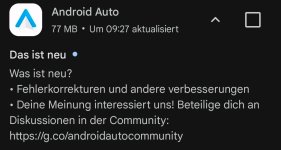
I have a Xiaomi 15 and the same problem. When I am near the car and do not get in right away, the confirmation message appears. Then the only solution is to reset in the Terramar. In our Born, the problem does not occur. The interface in the car completely freezes during the reconnect. Disconnecting the connection does not help either. Restarting the phone does not help either

Cupra-Klaus
Lebt hier ★
However, it is not a general problem with or from Android Auto. In my Leon VFL, there is absolutely no problem with it.

S25 Ultra - I have the same problem, but mostly only when I get in and out of the car multiple times in the city, meaning I'm never away from the car for long (shopping) and quickly get back in, etc.
I have the same problem with the Full-Link system from Cupra. Every 3rd to 5th time it says "A confirmation may be required on your mobile device." However, on my phone it says "Android Auto is available. Continue on the vehicle display." My phone is a Samsung Fold7. The people at Hahn-Automobile can't seem to get it right either.
Constantly, "supposedly" software updates were done. However, the software versions were always the same as before the update. A trickster thinks badly of that.
But it continues with "emergency braking" while driving!!! For no apparent reason. Emergency braking while reversing, but there is no danger in sight. The radio goes mute while driving. The infotainment system shuts down, the screen goes black. And many other problems.
I am in the process of suing to return the car.
I'm still experiencing the same problem. The vehicle itself is great in terms of space, engine, and appearance. But the software is a nightmare... at least the squeaking brake discs have been fixed. I'm also considering looking for another vehicle. My Golf GTI from 2016 didn't have such problems at all...


The now 10-year-old Golf has certainly developed its quirks by now. Just not with advanced assistance systems. The reverse beeper was the height of technology back then, wasn't it?
HavannaHighline
Kennt sich aus ★
However, it is not a general problem with or from Android Auto. In my Leon VFL, there is absolutely no problem with it.
Hi,S25 Ultra - I have the problem too, but mostly only when I get in and out of the car multiple times in the city, meaning I'm never away from the car for long (shopping) and quickly get back in, etc.
It is supposed to be a general problem between Android Auto and VAG MIB3 with Samsung smartphones.
I also have it with my 2024 Golf GTI with Samsung S25 Ultra.
I suspect it will be no different with the Leon; let's see when the next contract renewal is due, then there won't be another Samsung.
Cupra-Klaus
Lebt hier ★
A general problem with Samsung, Android Auto, and VAG MIB3 cannot be the case, otherwise it would not work flawlessly for me with my Samsung S24. And I exclusively and solely use Android Auto. I rather think that it is related to the software version of the MIB3.

Well, there have been problems with AA and the S24/25 series. I wouldn't be surprised if the new 26 series also has issues. My S23 comes from 1940 - 1989 and handles the FL SW before 2768 with all SW versions just fine. So it shouldn't generally be due to the SW version either.
I'm curious if you have received the current software update for your Terramars, which requires the vehicle to be in the workshop for a day. Apparently, over 40 control units are affected, and in total, it's about 12GB of data. My workshop mentioned that it might take 2 days if the update fails.
In any case, I received a loan car and was able to pick up my Terramar on the same day. Since then, I no longer get the message "New settings for your profile are available" at every start.
However, since I have an iPhone and do not use Android Auto, I just wanted to leave that as a thought.
In any case, I received a loan car and was able to pick up my Terramar on the same day. Since then, I no longer get the message "New settings for your profile are available" at every start.
However, since I have an iPhone and do not use Android Auto, I just wanted to leave that as a thought.
I have already received many updates. However, nothing has changed. Strangely, the version numbers after the update were the same as before. Only the date has changed. It seems to me that they don't know what they are doing. A control unit has also been replaced. After that, nothing worked anymore. Even the service employee could no longer log in. I am also slowly starting to suspect that FullLink from Cupra has a problem with Android.
I wanted to chime in.
I have the latest Cupra Leon model + Android Auto + Honor Magic 7 Pro, experiencing the same issues.
AA doesn't work half the time. Restarts help sometimes, but usually only via USB.
A larger software update was also applied to my car during the last service (end of 2025), but it didn't help.
Supposedly, these problems don't occur with Apple CarPlay, only with AA.
It’s unlikely to be an issue with the smartphone, as many different models are having problems.
As much as I like the Cupra, the issue with AA is a massive limitation for me and unacceptable.
I can also confirm problems with random emergency braking while reversing or sudden system restarts while driving.
The automatic window function is also acting up.
Angefixt
Forenfan ★★★
Hello everyone!
I also had serious problems with the combination of Android Auto (Samsung S25) and the current infotainment system of my CUPRA.
It was almost a gamble whether the connection would work as soon as I started the car or if the Full-Link error message would appear and I would have to restart the infotainment...
With my wife's S26, it worked flawlessly - I always blamed it on the phone model and hoped for software updates. However, before this weekend, I compared our settings in AA - lo and behold, the only difference was found under "Starting" - mine was set to "Always" and my wife's was set to "Standard".
I adopted this setting and since then I haven't received a single error message...
Additionally, I found an explanation online:
You might hardly believe it, but the MIB4 boots up "too quickly." It pings all known devices once before the WLAN module is even active.
This causes the phone to react immediately (AA starting set to "Always") - it connects and then is blocked for the correct request via the WLAN module.
However, if you have "Standard" set, the phone waits for the specific request from the WLAN module to establish the AA connection.
Sorry for the wall of text.

Have fun trying it out and have a good start to the new week...
I also had serious problems with the combination of Android Auto (Samsung S25) and the current infotainment system of my CUPRA.
It was almost a gamble whether the connection would work as soon as I started the car or if the Full-Link error message would appear and I would have to restart the infotainment...
With my wife's S26, it worked flawlessly - I always blamed it on the phone model and hoped for software updates. However, before this weekend, I compared our settings in AA - lo and behold, the only difference was found under "Starting" - mine was set to "Always" and my wife's was set to "Standard".
I adopted this setting and since then I haven't received a single error message...
Additionally, I found an explanation online:
You might hardly believe it, but the MIB4 boots up "too quickly." It pings all known devices once before the WLAN module is even active.
This causes the phone to react immediately (AA starting set to "Always") - it connects and then is blocked for the correct request via the WLAN module.
However, if you have "Standard" set, the phone waits for the specific request from the WLAN module to establish the AA connection.
Sorry for the wall of text.
Have fun trying it out and have a good start to the new week...
Last edited:

Tygulav
Stammuser ★★
Do you mean the setting on the smartphone? Mine has always been set to default (Samsung S25). I still have to restart the infotainment multiple times until it connects.
Similar threads

F
- Replies
- 9
- Views
- 4K


* = Advertisement
Links marked with an asterisk (*) are affiliate links. If you click on one of these links and make a purchase, we receive a commission from the respective online shop or provider. This does not affect the price you pay.